
HappyHorse Is Here: What the Early Lead Really Means for AI Video Teams
A cloned local version of the original HappyHorse launch article, focused on practical workflow value for short-form video teams.
Why This Launch Matters
HappyHorse is here, and this launch matters for a simple reason: the product is arriving at a moment when AI video buyers no longer want vague promise language. They want a workflow they can understand, a result they can test, and a reason to believe the model can hold up outside a demo reel.
The strongest reason to pay attention right now is not hype. It is fit. Public leaderboard data put HappyHorse-1.0 at the top of the no-audio text-to-video and image-to-video rankings on Artificial Analysis. That does not mean the model is automatically the best choice for every team, every budget, or every output style. It does mean the launch starts from a credible signal instead of an empty claim.
That distinction changes how teams should read this product launch. This is not a waitlist story. It is a practical story about how to use a top-ranked model family for real work: demos, launch assets, social clips, ad tests, onboarding videos, and early storyboard passes.
What HappyHorse Is Best At Right Now
The launch message becomes clearer when you stop asking whether HappyHorse can do everything and start asking where it creates the most immediate leverage.
HappyHorse makes the most sense when the first job is speed. Teams often need to move from idea to visible motion in a single working session. That is common in product launch planning, paid creative testing, short social campaign development, internal concept validation, and rough storyboard exploration.
The current no-audio image-to-video lead is especially important because image-led workflows solve a very practical problem: creative control. Text prompts are good for exploration. Reference images are better when you already know what the subject, composition, product frame, or character should look like.
- Fast concept-to-clip iteration
- Reference-led video generation
- Short-form production work
- Pre-production decision support
Text-to-Video or Image-to-Video: Start With the Right Mode
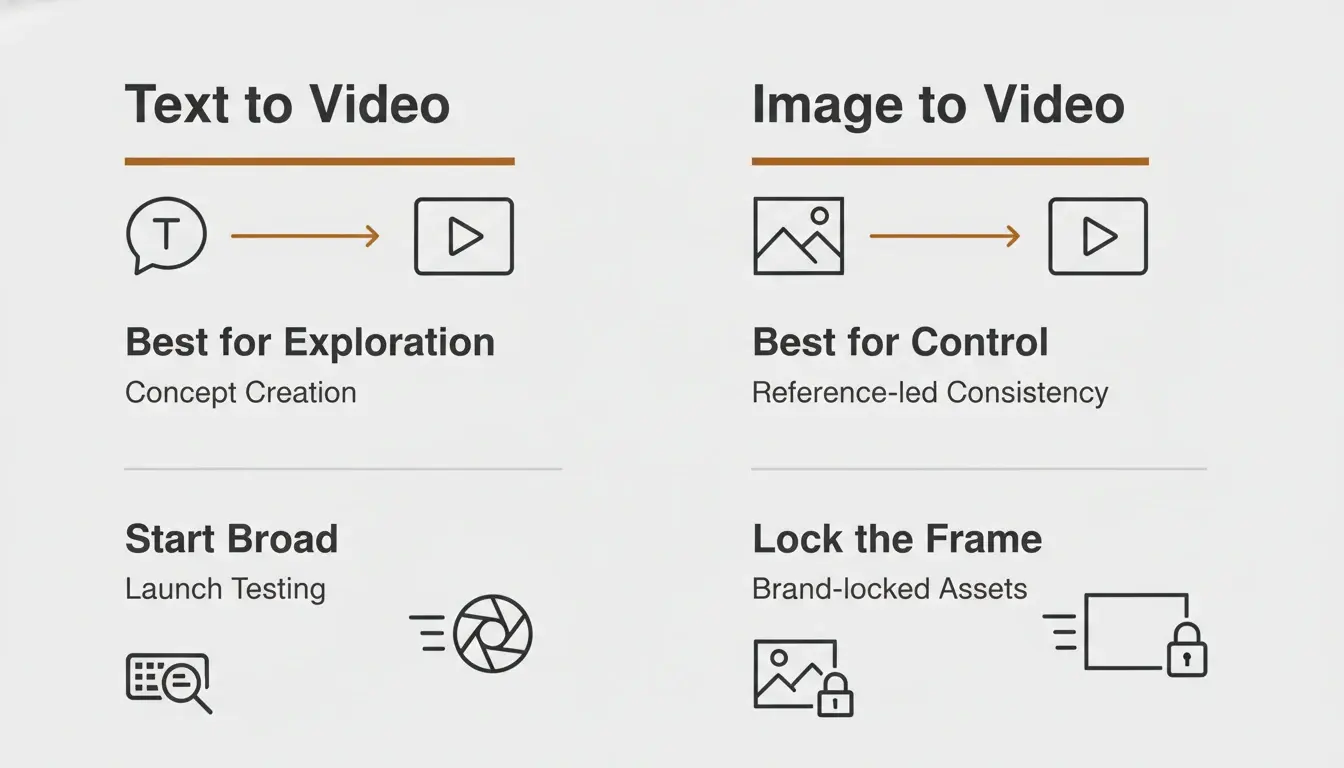
The fastest way to waste a strong model is to start with the wrong input mode. Teams often use text-to-video when they actually need control, or they use image-to-video when they actually need exploration.
Use text-to-video when you are still deciding what the scene should be. Use image-to-video when you already know what the scene should look like. Move from text-led exploration to image-led control once you find a promising direction.
- Explore a fresh concept from scratch: start with text-to-video
- Lock the subject, product frame, or visual identity: start with image-to-video
- Test multiple launch angles quickly: start broad with text, then tighten with image
A Practical First-Week Workflow for Teams
Choose one practical output family before you generate anything: launch teaser, product demo clip, paid ad concept, onboarding walkthrough, or storyboard preview.
Set the quality bar first. Decide what would count as a usable first win. Then run one text-to-video pass for concept breadth and one image-to-video pass for control. Once one result looks promising, tighten one direction instead of exploring endlessly.
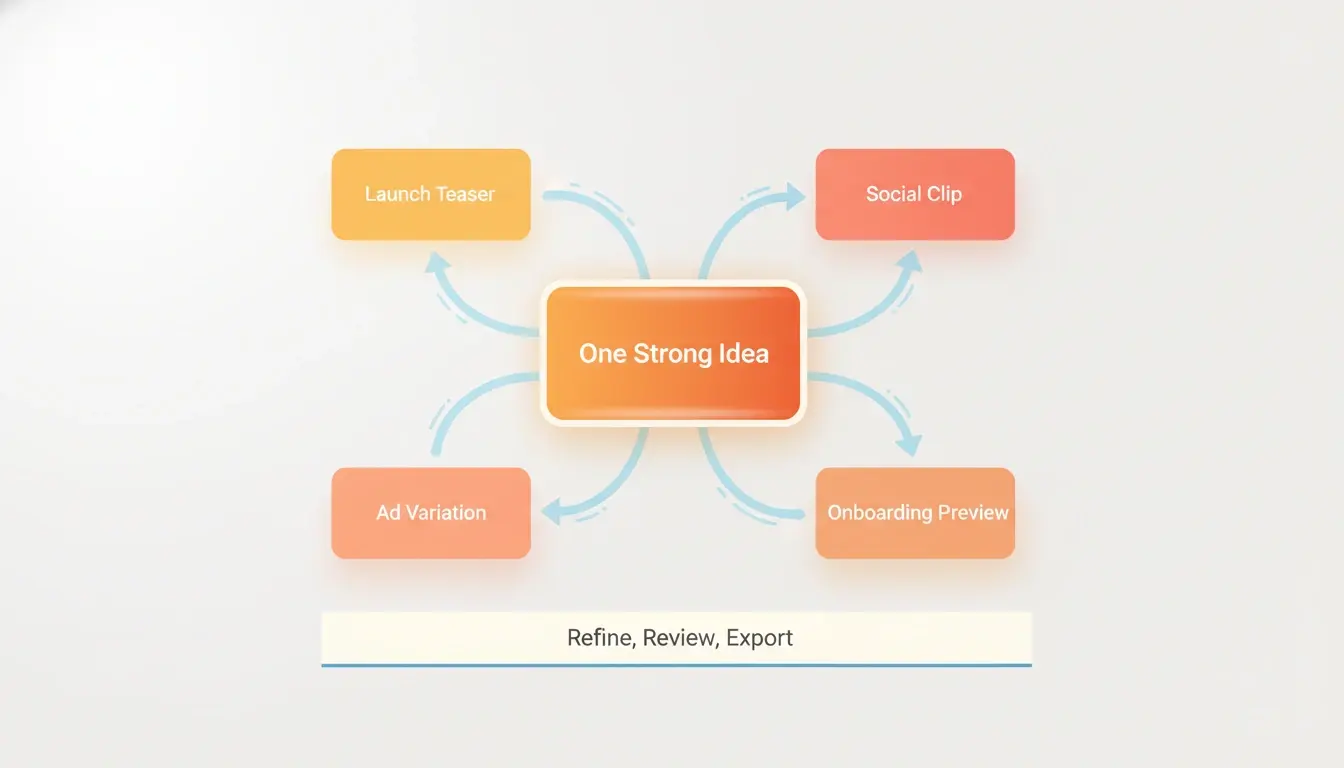
The launch becomes operationally valuable when one result expands into multiple deliverables: a landing page teaser, a launch post clip, an ad variant, a founder update visual, or a storyboard reference for the next shoot.
Where HappyHorse Fits in Real Video Work
Product demos, launch teasers, social clips, ads, onboarding, and storyboard previews are the clearest first fits. In each case, the gain comes from faster iteration and tighter visual testing, not from replacing every part of production overnight.
A credible launch story should also say what the product does not solve. HappyHorse does not remove the need for prompt judgment, creative direction, edit selection, narrative pacing, brand review, or final quality control.
Final Take
HappyHorse is interesting because the current public signal is strong, the product framing matches real short-form work, and the clearest value sits in workflows where speed, variation, and controlled visual iteration matter most.
The best way to judge the launch is simple: pick one real video job, test both input modes, tighten one winning direction, and see if the workflow earns a permanent place in the stack.
For a broader comparison of how HappyHorse stacks up against other models, see our guide to the best AI video generators in 2026 at /blog/best-ai-video-generator-2026. If you are new to AI video and want a step-by-step walkthrough, the beginner guide at /blog/how-to-make-ai-video covers prompts, modes, and settings from scratch.
Try HappyHorse free
Create your first AI video in under 3 minutes. No credit card needed. New users get welcome credits instantly.